

If you inspect the browser bookmarks of almost any independent software developer, designer, or consultant, you will discover a standard productivity stack: a project management tab like Trello, Linear, or Asana pinned to the left, and a time tracking web app or desktop widget like Toggl, Clockify, or Harvest pinned to the right.
For years, productivity gurus and SaaS companies have told us this separation is natural: "Use the best tool for the job. Plan in your project board; record in your time tracker."
Yet every working day, that separation causes silent friction. You finish a task on your board, switch windows to your timer, re-type the exact same deliverable title, select a client dropdown, click start, and hope you remember to stop it forty minutes later.
Does project management and time tracking really need to be two separate pieces of software? Or have we simply normalized paying two monthly subscriptions to do what a single, well-designed desktop application should do out of the box?
Here is an honest breakdown of the multi-app stack, why it fails solo creators, and what a unified workflow looks like.
Why Did the Software Industry Split Task Planning and Time Tracking in the First Place?
The software industry split task planning and time tracking into separate applications because enterprise software companies build products around organizational silos rather than individual workflow efficiency. In large corporations, project managers live in Jira or Asana to forecast sprints, while finance and payroll departments pull timesheets from Harvest or Workday.
Because large enterprises with thousands of corporate seats represent the most lucrative customer segment, software vendors optimized their tools for departmental separation:
- Task Management Tools: Built for team managers who want sprint velocity charts, cross-team dependencies, and stakeholder status updates.
- Time Tracking Tools: Built for finance directors who need multi-tier approvals, payroll integrations, and billable utilization percentages.
When solo freelancers, contractors, and small agency founders adopted these enterprise tools, they inherited an enterprise design compromise: being forced to act as both the project manager and the payroll clerk across two completely disconnected systems.
What Are the Hidden Financial and Cognitive Costs of the Multi-App Stack?
The multi-app stack imposes both a compounding financial cost of $20 to $40 per user every month and a continuous cognitive tax caused by constant context switching and duplicate data entry.
Consider the true costs of running two independent tools for solo work:
What Is the True Financial Cost of the Dual-SaaS Markup?
To get basic project planning and client time tracking, you typically pay:
- Trello or Linear Standard: $5 to $10 per month.
- Toggl Track or Harvest: $10 to $15 per month.
- Annual Total: $180 to $300 per year, every single year, just to maintain a task list and a stopwatch.
How Does Constant App Switching Tax Your Focus and Energy?
Every time you transition between tools to start or stop work, you introduce cognitive friction:
- You find the task in your project backlog.
- You switch windows to your time tracker.
- You type the task name again.
- You select the client and hourly rate.
- You work, and then repeat the process in reverse.
Over a typical year, shuttling task titles between two tools burns an estimated 30 to 45 hours of pure administrative overhead—time you could have billed to clients or spent resting.
How Does Managing Two Separate Tools Cause Constant Data Desynchronization?
Managing two separate tools inevitably causes data desynchronization because human memory and attention prioritize creative execution over updating administrative software. When the state of your work in your project board does not automatically update your timesheet, the two tools immediately begin drifting apart.
By Wednesday of any busy work week, the discrepancies multiply:
- A task marked
In Progressin your project board has zero time logged against it in your tracking tool because you forgot to start the stopwatch. - A client invoice shows three hours spent on "API Refactoring," but no card exists on your board to explain what specific tickets that refactoring actually resolved.
- Minor tasks—like a 15-minute emergency bugfix or client revision—get done in code but never get created as tickets or billed as hours.
At the end of the month, you are left playing software archaeologist, cross-referencing git commits, browser history, and task boards just to prepare a defensible invoice.
What Does a Unified, Offline Kanban and Time Tracking Workflow Look Like?
A unified, offline workflow brings visual task planning, one-click time tracking, and client billing calculations onto a single desktop screen without requiring cloud accounts or recurring fees.
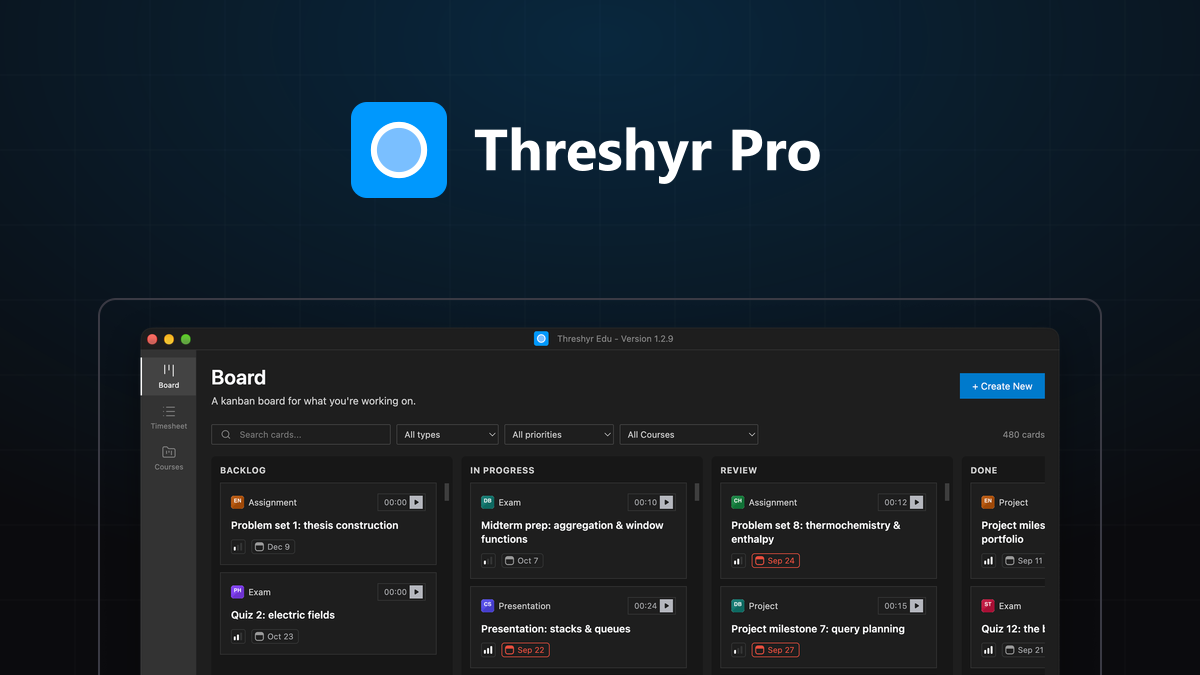
Instead of managing two disconnected web apps, your visual Kanban board is your timesheet engine:
┌────────────────────────────────────────────────────────────────────────┐
│                        Threshyr Pro Kanban Board                       │
├────────────────────┬────────────────────┬──────────────────────────────┤
│ TO DO              │ IN PROGRESS        │ DONE                         │
├────────────────────┼────────────────────┼──────────────────────────────┤
│ [Design Spec]      │ [API Auth Fix]     │ [Client Onboarding]          │
│ Acme Corp · $120/hr│ Acme Corp · $120/hr│ Acme Corp · $120/hr          │
│ [Start Timer]      │ ⏱ 01:24:12 [Stop]  │ Logged: 03:15:00 ($390.00)   │
└────────────────────┴────────────────────┴──────────────────────────────┘
In a unified application like Threshyr Pro, the task card and the timer are the exact same entity.
How Does Single-Click Card Tracking Eliminate Redundant Task Entry?
Single-click card tracking eliminates redundant task entry because the task title, client assignment, and hourly billing rate are already defined on the Kanban card itself.
When you sit down to work:
- You open your board and locate the card in your
To Docolumn. - Dragging it to
In Progressor clicking the play icon on the card immediately starts recording time against that project rate. - You never re-type titles, never select repetitive dropdowns, and never wonder which project a running timer belongs to.
How Do Live Invoicing Calculations Derive Directly from Task Statuses?
Live invoicing calculations derive directly from task statuses because every completed session updates your billable totals and unbilled client balances in real time on your local machine.
When you drag a completed task to Done:
- Threshyr Pro aggregates all recorded sessions on that card.
- The application multiplies the duration by the assigned hourly rate.
- The unbilled balance on your client summary updates instantly.
When it is time to bill your client at the end of the month, you do not spend hours formatting spreadsheets. You click export to generate a clean, chronological breakdown of every completed task, the exact hours spent, and the final dollar total owed.
Standalone Stack vs. Unified Desktop App: How Do They Compare Head to Head?
When evaluated across workflow friction, privacy, offline reliability, and long-term cost, a unified local desktop tool fundamentally outperforms the traditional multi-SaaS stack for solo professionals:
| Feature / Dimension | The Traditional Two-App Stack (e.g. Trello + Toggl) | Unified Desktop Tool (Threshyr Pro) |
|---|---|---|
| Number of Apps to Manage | 2 separate web dashboards / widgets | 1 lightweight, native desktop application |
| Data Synchronization | Manual double-entry (or brittle API webhooks) | Automatic (Timer is fused into the task card) |
| Annual Cost | $180 – $300+ / year in recurring subscriptions | 100% Free Forever (No fees or paywalls) |
| Data Privacy & Storage | Uploaded to multiple 3rd-party cloud databases | 100% offline local SQLite on your own drive |
| Offline Reliability | Broken or degraded when Wi-Fi drops | Fully functional on planes, trains, or off-grid |
| System Permissions | Browser cookies, cloud telemetry, tracking pixels | Zero permissions (Sandboxed native app) |
| Invoicing Readiness | Requires manual export and reconciliations | One-click verified reports derived from cards |
Who Should Keep the Two-App Stack and Who Should Consolidate?
Large distributed teams with dedicated project managers should keep the two-app stack, while solo freelancers, consultants, and developers should consolidate into a single native tool.
When Does It Still Make Sense to Keep the Two-App Stack?
- You manage a team of ten or more people who need complex sprint poker, multi-user assignment pipelines, and collaborative comments.
- Your company requires direct enterprise integrations with tools like Salesforce, Jira, or SAP.
- You need remote employee attendance auditing and manager timesheet approvals.
When Should You Consolidate into a Single Unified Tool?
- You are a solo developer, designer, or consultant who works primarily on your own machine.
- You are tired of paying monthly subscriptions for simple productivity utilities.
- You want a visual Kanban board that stays updated without demanding extra administrative hours.
- You value complete data privacy and want client files and rates stored strictly on your local disk.
Ready to Unify Your Tasks, Timers, and Invoicing on One Screen?
You do not need two separate cloud accounts and two browser tabs just to plan a project and bill your hours.
By consolidating your task backlog, daily timers, and client billing into a single offline screen, you eliminate the Two-App Tax, protect your deep focus, and gain complete clarity over your workday.
Experience unified, private task and time tracking on Windows. Download Threshyr Pro completely free from the Microsoft Store—no monthly fees, no cloud accounts, and zero distractions.

Written by Affan Bajwa
Founder of Threshyr. Passionate about local-first software architecture, developer productivity, and building privacy-first tools for knowledge workers.
Track your time automatically. Without the cloud.
No timers to click. No cloud tracking. Your private window titles and project logs stay on your machine forever.
Available for Windows & macOS • Pre-release at $29/yr
Related Articles
Why We Stop Updating Kanban Boards (And How Fused Time Tracking Fixes It)
Why do Trello and Jira boards decay into graveyards of stale tickets? Explore the two-app friction tax and how fusing time tracking keeps boards alive.


Why Use Threshyr Studio When I Can Vibe Code a Time Tracker for Myself?
Vibe coding a time tracker in Cursor sounds like a fun weekend project until you hit OS edge cases. Here is what building a local tracker actually takes.