
Threshyr Edu is a free, offline desktop time tracker designed for students and researchers. It helps you budget weekly study targets by course and time your coursework directly from a visual task board—with zero cloud uploads, no ads, and no phone distractions.
Here is the quick 4-step workflow to get your semester set up in minutes.
Step 1: Navigate to the Courses Module and Create a Course
- Click on the Courses module in the left sidebar.
- Click + Add Course.
- Fill in your course details:
- Course Name: e.g., Organic Chemistry, Constitutional Law, or Machine Learning.
- Course Code / Tag: e.g., CHEM 201 or CS 106B.
- Color: Choose a distinct color tag for visual identification across the app.
- Weekly Target Hours: Set how many hours you want to study each week (e.g., 6 to 8 hours).
- Click Save Course.
Step 2: Navigate Back to the Board Module and Create a Task
- Click on the Board module in the left sidebar.
- Under your desired column (such as Backlog or In Progress), click + New Task.
- Give your task a clear deliverable title (e.g., Problem Set 2: Reaction Mechanisms or Chapter 4 Reading).
- Select your course from the dropdown so the task inherits its color and weekly study budget.
- Add any due dates or notes, then click Create Task.
Step 3: Start the Timer on Your Task
When you are ready to focus on coursework, you can start tracking in one of two quick ways:
- Directly on the Board: Click the green Start button right on the task card.
- From Card Details: Click into the card to open its details view and click Start Timer.
The timer runs quietly on your desktop while you study. When you finish your session or take a break, click Stop. Your hours are automatically saved and credited toward that course's weekly target.
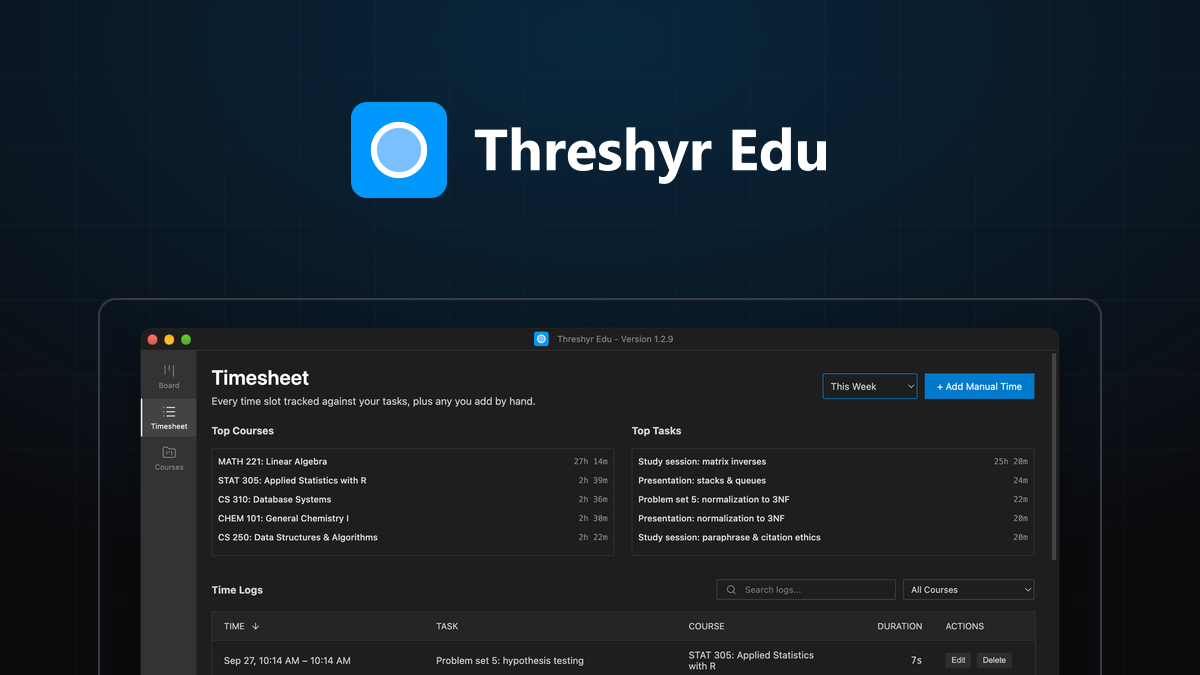
Step 4: Navigate to the Timesheet Module and Review or Add Time Manually
- Click on the Timesheet module in the left sidebar.
- Review your chronological session history to see when you studied and how much time you have accumulated this week.
- Add time manually: If you studied away from your computer (like reading a physical textbook or attending a study group), click + Add Time to enter the date, course, task, and duration manually.
- Review your weekly progress bars to see when you've hit your course target hours—giving you clear, guilt-free permission to stop and rest.
Download Threshyr Edu
Threshyr Edu is 100% free forever on macOS and Windows, with no account, no ads, and complete offline privacy:

Written by Affan Bajwa
Founder of Threshyr. Passionate about local-first software architecture, developer productivity, and building privacy-first tools for knowledge workers.
Get Threshyr Edu
Free forever on the Microsoft Store and Mac App Store. No account, no ads, no payment details.
Related Articles

How to Vibe Code Your Own Study Time Tracker (Claude Code, Codex, Cursor)
Build a free study timer with courses, sessions and weekly totals in about 20 minutes, using an AI coding tool and one copy-paste prompt.

Credit Hours vs Reality: Auditing How Much Time Your Degree Actually Takes
Universities claim that every credit hour requires 2–3 hours of outside study. Here is how to audit your real coursework hours using Threshyr Edu timesheets.