
Thanks for trusting Threshyr!
The Windows — Threshyr Studio installer is downloading now.
If your download didn't start, click here to try again.
Please note: Threshyr does not use servers to save user activity data. Everything it records about how you spend your time stays on your own computer. Read the privacy policy.
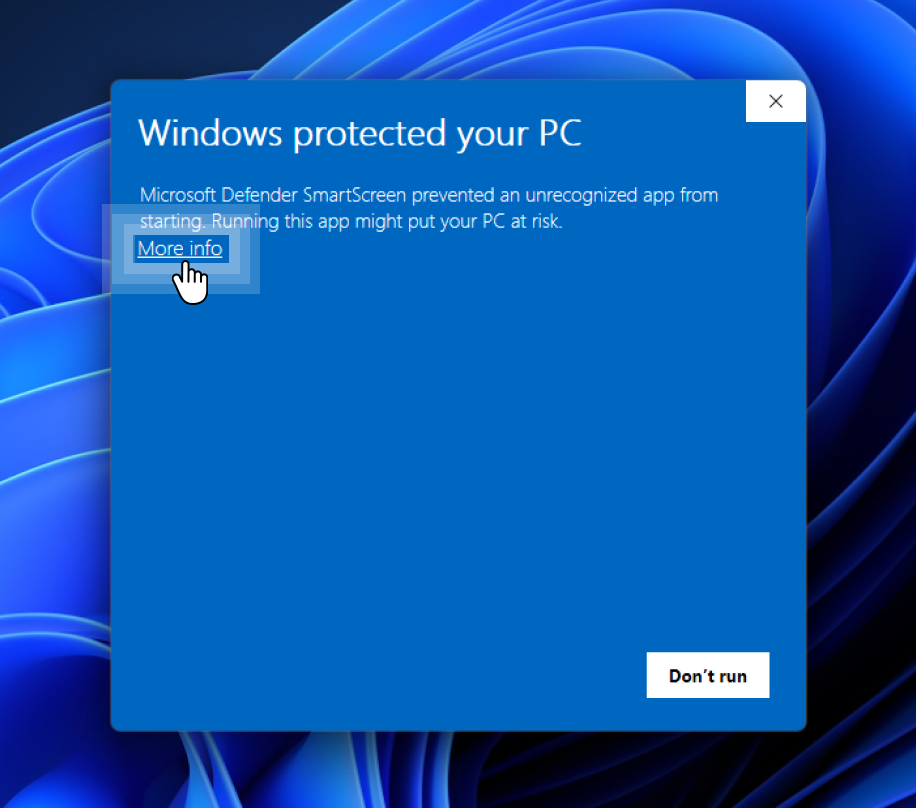
Run the installer and click More info.
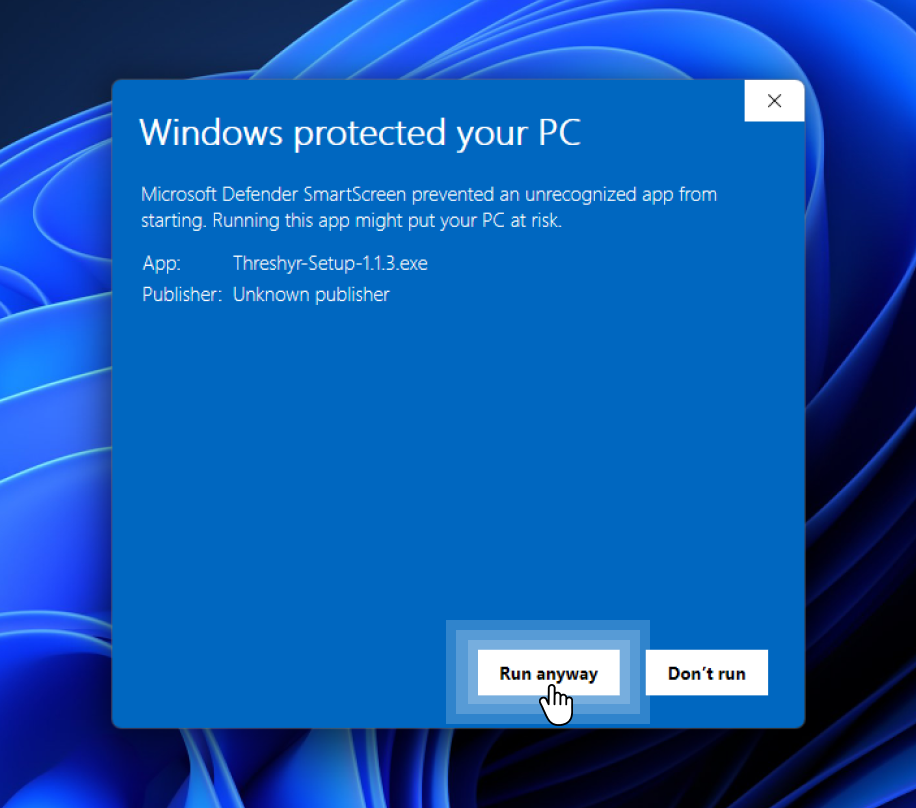
Click Run anyway to continue the install.
A note from the developer: Threshyr is currently in pre-release, and I'm building it as an independent solo developer. Your early experience matters immensely to me. If anything breaks, feels confusing, or doesn't fit your workflow, please send me an email. I read and reply to every message personally.
Threshyr is also available on the Microsoft Store.
Looking for a different platform? See all downloads. Stuck on something? Get in touch.